




Results for aio motherboard

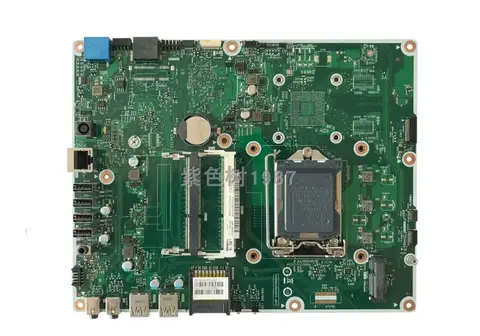
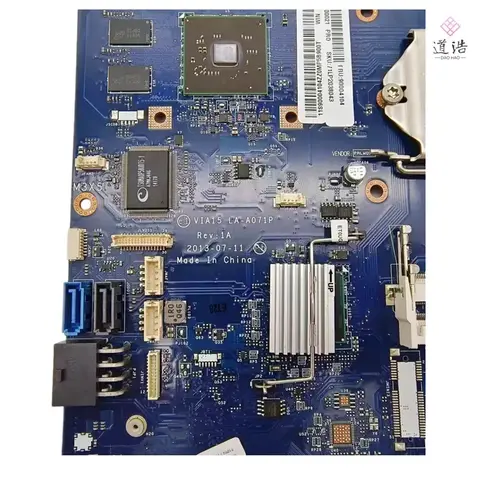
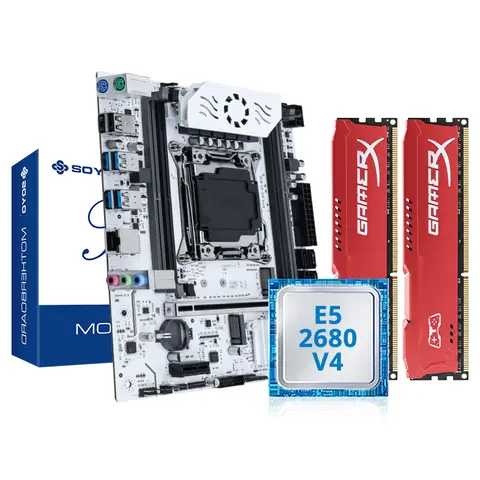
AIO motherboard refers to an all-in-one motherboard solution designed for compact, integrated computing systems—commonly found in industrial, embedded, or space-constrained devices. These motherboards combine essential components like CPU, memory, GPU, and I/O interfaces into a single, efficient platform, ideal for applications requiring reliability, minimal footprint, and long-term performance. The term AIO in this context does not refer to desktop all-in-one PCs but rather to motherboard-level integration for specialized computing environments.
All-in-One (AIO) Motherboard
A motherboard engineered with integrated components such as CPU, GPU, RAM, and storage controllers, minimizing the need for additional expansion cards and reducing system size and power consumption.
Industrial Motherboard
A ruggedized motherboard designed for use in harsh environments, often featuring extended temperature ranges, enhanced durability, and long-term availability—commonly used in automation, surveillance, and medical devices.
Onboard GPU
A graphics processing unit integrated directly into the motherboard, eliminating the need for a separate graphics card and reducing power draw and space requirements.

For users seeking a reliable aio motherboard, the key is matching the board’s specifications to your system’s requirements. Consider the following factors:
  1. Check CPU compatibility: Ensure the motherboard supports your desired processor. For example, the IBASE IB883 supports industrial-grade Intel processors, while the Acer Swift 3 Sf314-57 motherboard integrates Intel 10th Gen i5/i7 CPUs with on-board memory and SSD support.
  2. Verify GPU integration: If you need graphics performance, confirm whether the board has an integrated GPU (e.g., Intel UHD Graphics) or requires a discrete card. The Q5WVH Q5WV1 LA-7912P supports NVIDIA GT630M/640M with 2GB dedicated VRAM—ideal for light gaming or multimedia tasks.
  3. Evaluate memory and storage: Look for boards with DDR3 or DDR4 support and onboard RAM/SSD capabilities. The Dwjc NB8511 supports up to 16GB of DDR4 memory and includes onboard SSD functionality, enhancing boot speed and system responsiveness.
  4. Assess build quality and origin: Boards from Mainland China (e.g., Bighao Era, Dwjc) often offer cost-effective solutions, but verify component longevity and thermal management—especially in high-load scenarios.
  5. Confirm compatibility: Always cross-check model numbers (e.g., ASPIRE V3-571G, IB883) with your device’s original part to avoid installation issues.

When replacing or upgrading, prioritize motherboards with long-term availability and stable firmware support. Industrial models like the IB883 are built for 7+ year lifespans, making them ideal for mission-critical systems. Avoid boards with outdated chipsets or limited driver support—especially in older laptops or embedded systems. Always test the board with a known-good CPU and RAM before full deployment.

AIO Motherboard for Acer Laptop -AliExpress

Understanding AIO Motherboard: What It Really Means and How to Choose the Right One


When searching for an “aio motherboard,” buyers are typically looking for a compact, all-in-one solution that integrates essential components—such as CPU, RAM, GPU, and storage—into a single motherboard design, especially for small-form-factor or industrial computing systems. While “aio motherboard” is not a standard product category in mainstream PC hardware, it commonly refers to motherboards used in integrated systems like industrial PCs, all-in-one laptops, or compact desktops where space and efficiency are critical. The key to selecting the right one lies in matching the motherboard’s specifications to your system’s performance needs, compatibility, and long-term reliability.

What Does “AIO Motherboard” Actually Mean?


The term “aio motherboard” is often used informally to describe motherboards designed for all-in-one systems, where components are tightly integrated to reduce size and complexity. These boards are commonly found in specialized environments such as industrial automation, digital signage, and compact laptops. Unlike standard desktop motherboards, AIO motherboards often come with built-in processors, memory, and graphics, reducing the need for additional components.
All-in-One (AIO) System
A computing system where the motherboard, CPU, GPU, and storage are integrated into a single unit, typically used in compact or industrial devices to minimize space and improve durability.
Integrated GPU
A graphics processing unit built directly into the CPU or motherboard, eliminating the need for a separate graphics card. Common in low-power and compact systems.
Onboard Memory
RAM that is physically attached to the motherboard, often used in systems where memory is not user-upgradable.

Choosing the Right AIO Motherboard: Key Considerations


Selecting the correct AIO motherboard requires evaluating several technical parameters. Below are the most critical factors to consider:
  1. Check the compatible CPU series and ensure your processor matches the socket and chipset.
  2. Verify the RAM type and size—DDR3 vs. DDR4, and whether memory is soldered or user-replaceable.
  3. Confirm the GPU type—integrated (onboard) or discrete (dedicated).
  4. Ensure the motherboard supports your storage configuration, including SSD and HDD compatibility.
  5. Review the form factor to ensure it fits your case or system chassis.

Real-World Use Case: Replacing a Failed Motherboard in an Acer Swift 3


Problem: A user’s Acer Swift 3 (model SF314-57) has a failed motherboard. They need a replacement that supports their current i5-1035G1 or i7-1065G7 CPU and maintains system stability.
Solution Summary: Replace the original motherboard with a compatible, high-quality AIO motherboard that matches the CPU, memory, and integrated GPU specifications.

Step-by-Step Replacement Guide


  1. Identify the original motherboard model using the device’s serial number or by checking the internal label.
  2. Verify the CPU model (e.g., i5-1035G1 or i7-1065G7) and ensure the replacement supports it.
  3. Confirm the memory type (DDR4) and whether it’s soldered (onboard) or user-upgradable.
  4. Check that the GPU is integrated (Intel UHD Graphics) and compatible with the CPU.
  5. Ensure the new motherboard includes all necessary connectors (USB, HDMI, SATA, power, etc.).
  6. Install the new motherboard carefully, following proper anti-static procedures.
  7. Test the system with the original CPU and RAM to ensure full compatibility.

Comparison of Top AIO Motherboard Options


Below is a detailed comparison of three popular AIO motherboard models currently available on AliExpress:
Model Compatible CPU Memory Type GPU Type Onboard Memory Form Factor With CPU
IB883 Industrial Motherboard None (custom industrial use) DDR3 None No 20 x 10 x 5 cm No
Q5WVH for Acer V3-571G Intel-i5 DDR3 (2GB) Discrete (GT630M/640M) No 31 x 24 x 3 cm No
NB8511 for Acer Swift 3 SF314-57 i5-1035G1, i7-1065G7 DDR4 (integrated) Integrated (Intel UHD) Yes 30 x 20 x 10 cm Yes

Recommendations and Best Practices


For users seeking a reliable AIO motherboard, the NB8511 for Acer Swift 3 is the top choice due to its support for modern Intel processors, integrated DDR4 memory, and built-in CPU. It’s ideal for users upgrading or replacing a failed motherboard in a lightweight laptop.
Avoid motherboards with discrete GPUs (like the GT630M) unless you specifically need enhanced graphics performance, as they consume more power and generate more heat—unsuitable for compact systems.
Always verify the origin and seller reputation before purchasing. Products from Mainland China with clear specifications and verified compatibility are generally more reliable.
Finally, ensure the motherboard’s chipset and BIOS version are compatible with your CPU and operating system. Upgrading BIOS may be required for newer processors.
In conclusion, while “aio motherboard” isn’t a formal product category, it represents a practical solution for compact, integrated computing systems. By carefully evaluating CPU compatibility, memory, GPU type, and physical dimensions, users can find a reliable replacement that ensures long-term performance and system stability.

Aliexpress